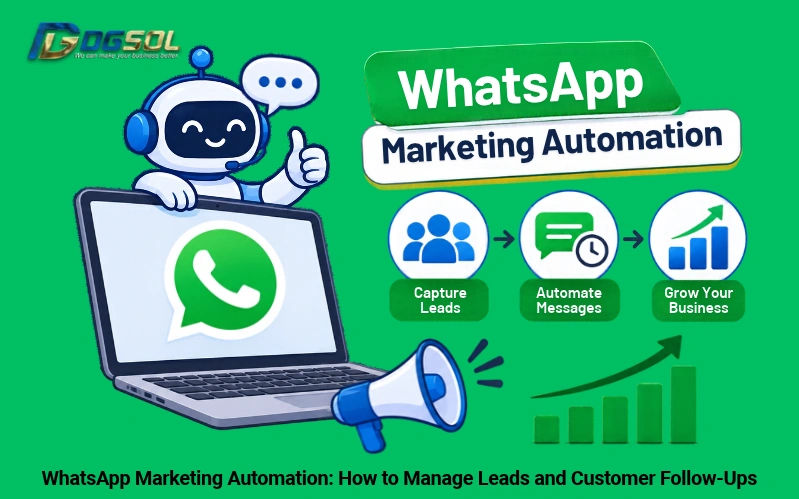
Businesses often receive customer inquiries through WhatsApp but struggle to respond quickly, organize contact details, and follow up with potential customers. As inquiry volumes grow, managing every conversation manually becomes difficult. WhatsApp marketing automation helps businesses manage these activities through automatic replies, lead qualification, CRM integration, and scheduled follow-ups. For SMEs and growing businesses, automation can create a more organized process for handling inquiries from websites, social media, and advertising campaigns.
What Is WhatsApp Marketing Automation?
WhatsApp marketing automation uses messaging tools, chatbots, and connected business systems to manage customer conversations with less manual work.
Businesses can automate tasks such as:
- Sending automatic replies to new inquiries.
- Collecting customer information.
- Qualifying potential leads.
- Assigning inquiries to sales representatives.
- Sending scheduled follow-up messages.
- Recording customer interactions in a CRM.
Basic messaging automation is available through the WhatsApp Business App and its API for compatible solution.
See WhatsApp Business App features for more information.
How to Automate WhatsApp Lead Management
An effective lead management process captures customer research, collects relevant information, and assigns each lead to the appropriate team member.
1. Capture Leads From Multiple Channels
Businesses can receive WhatsApp through:
- Website WhatsApp buttons and chat links.
- Facebook and Instagram ads.
- Social media profiles.
- QR codes and promotional materials.
- Website forms connected to WhatsApp.
Record the source of each inquiry to identify which Whatsapp marketing channels generate leads.
2. Send Automatic Replies to New Query
An automatic reply acknowledges a customer’s message and confirms that the business has received their queries. Example:
“Hi [Name], thank you for contacting [Business Name]. How can we help you today? Please select the service you’re interested in, and our team will assist you.”
The WhatsApp Business App supports basic greeting and away messages. You can create more advanced responses through compatible automation platforms.
3. Qualify Leads Through Automated Questions
A WhatsApp chatbot for business can ask predefined questions to understand customer requirements.
For example, a digital marketing agency could ask:
- Which service are you interested in?
- What type of business do you operate?
- What are your main marketing requirements?
- When would you like to start?
The answers help sales representatives understand the enquiry and decide on the appropriate next step.
4. Assign Leads to Sales Representatives
Organize inquiries according to their status and assign them to the appropriate employees.A compatible CRM or team inbox can assign leads according to service interest, location, or department. Common lead stages include:
| Lead status | Meaning |
| New | Enquiry received |
| Contacted | Sales representative has responded |
| Qualified | Customer matches business requirements |
| Follow-up | Additional communication is needed |
| Converted | Customer has made a purchase |
| Not interested | Customer has declined the offer |
How to Automate WhatsApp Follow-Ups
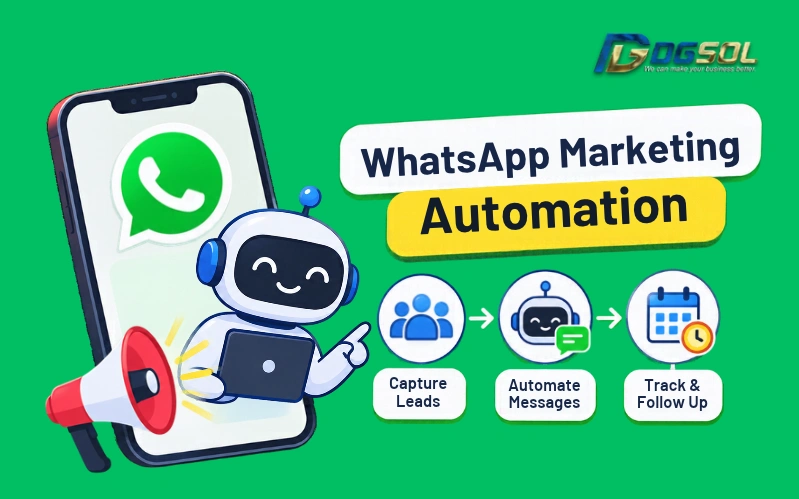
Following up with potential customers is an important part of the sales process. WhatsApp automated follow-up workflows help businesses send timely messages without manually tracking every user need.
Create Automated Follow-Up Triggers
Set automation rules based on customer activity, such as:
- A new enquiry is received.
- A quotation is sent.
- A customer requests additional information.
- A customer stops responding.
- A booking or purchase is pending.
Build a WhatsApp Follow-Up Sequence
A simple follow-up workflow could look like this:
| Timing | Purpose |
| Immediately | Confirm receipt of the enquiry |
| Day 1 | Ask whether the customer needs more information |
| Day 3 | Follow up on the quotation or service enquiry |
| After user response | Provide relevant information or arrange sales assistance |
WhatsApp Chatbots and Human Follow-Ups
A WhatsApp chatbot can handle routine questions, collect customer details, and direct enquiries to the right department.
Common chatbot tasks include:
- Answering frequently asked questions.
- Collecting customer information.
- Providing basic product and service details.
- Routing inquiries to the relevant team.
- Handling simple booking requests.
However, complex questions, complaints, pricing discussions, and purchase negotiations may require a human representative.
WhatsApp Automation Best Practices for Businesses
Follow these practices when setting up WhatsApp business automation:
- Obtain customer permission: Get consent before sending business messages and respect opt-out requests.
- Use approved templates: Business-initiated messages through the WhatsApp Business Platform require approved templates.
- Understand the 24-hour service window: Free-form replies are permitted during the 24-hour customer service window after a customer’s message. Outside this window, approved templates are required.
- Keep messages relevant: Send follow-ups based on customer interests and previous interactions.
- Protect customer information: Collect only necessary details and follow applicable Malaysian data protection requirements.
- Allow human assistance: Make it easy for customers to contact a sales representative.
Review the WhatsApp Business Messaging Policy for relevant requirements.
How to Measure WhatsApp Marketing Automation Performance
Track these metrics to understand whether automation is improving your lead management process.
| Metric | What it measures |
| First response time | Time taken to respond to new enquiries |
| Leads captured | Number of enquiries recorded |
| Lead qualification rate | Percentage of leads meeting business requirements |
| Follow-up completion | Whether scheduled follow-ups are completed |
| Conversion rate | Percentage of leads becoming customers |
| Response rate | Number of customers responding to follow-ups |
Conclusion: Improve Lead Management With WhatsApp Marketing Automation
WhatsApp marketing automation helps businesses capture inquiries, organize customer information, automate follow-ups, and manage sales conversations more efficiently. Start with automatic replies and a clear lead management process. As your business grows, consider CRM integration and chatbot workflows to improve tracking and customer follow-ups.
Want to manage your WhatsApp marketing automation without missing customer follow-ups? Contact DGSOL Marketing to grow your business.
Frequently Asked Questions
What Is WhatsApp Marketing Automation?
WhatsApp marketing automation uses automatic messages, chatbots, and connected systems to manage, capture leads, and send customer follow-ups.
How Can Businesses Automate WhatsApp Follow-Ups?
Businesses can create automated workflows triggered by new quotation requests, or changes in lead status. Scheduled messages remind customers about pending while following WhatsApp messaging requirements.
Can WhatsApp Be Integrated With a CRM?
Yes. The WhatsApp Business Platform/API supports integrations with compatible CRM systems to manage customer details, conversation history, lead status, and sales activities.
Is WhatsApp Automation Available for Small Businesses?
Yes. The WhatsApp Business App provides basic features such as greeting messages, away messages, and quick replies. Businesses needing advanced automation can consider the Business Platform/API.
Can a WhatsApp Chatbot Automatically Qualify Leads?
Yes. A chatbot can ask predefined questions, collect customer requirements, and direct suitable user needs to sales representatives.