

WhatsApp helps businesses communicate with customers, answer inquiries, and share updates. However, choosing between the WhatsApp Business API vs WhatsApp Business App depends on how a business manages its conversations. The Business App provides basic messaging tools for small businesses, while the API supports advanced automation, multiple agents, and integration with business systems. This guide compares their features, costs, and limitations to help you decide which option is right for your business.
What Is the WhatsApp Business App?
The WhatsApp Business App is a free application designed for small businesses that communicate directly with customers. It provides basic tools to manage conversations, display products, and respond to common inquiries.
WhatsApp Business App Features
Its main features include:
- Business profile: Display your business name, description, contact details, and opening hours.
- Product catalog: Showcase products and services for customers to browse.
- Quick replies: Save frequently used answers to respond faster.
- Greeting and away messages: Send automatic messages when customers contact your business or when you are unavailable.
- Chat labels: Organize conversations by customer type or inquiry status.
- Broadcast lists: Send messages to multiple contacts, subject to WhatsApp’s requirements and restrictions.
WhatsApp Business App Limitations
The app has some limitations as communication requirements grow:
- Limited team access: Linked devices are available, but the app does not offer the same shared inbox and agent-management features as API-connected platforms.
- Basic automation: It supports simple automated replies but not the advanced chatbot workflows available through integrations.
- Broadcast restrictions: The personalized broadcast message list has recipient and usage requirements, making it less suitable for larger messaging operations.
- Limited integration: Connecting conversations with CRM systems and other business software may require additional tools.
What Is WhatsApp Business API?
The WhatsApp Business API, officially part of the WhatsApp Business Platform, allows businesses to connect WhatsApp with external software, CRM systems, and customer service platforms.
Unlike the Business App, the API does not provide a standalone messaging interface. Businesses generally access it through a connected platform or custom integration. It is designed for companies that need to manage more conversations, automate communication, and connect WhatsApp messaging with their existing business processes.
WhatsApp Business API Features
The main features include:
- Automated messaging: Send order updates, appointment reminders, and other notifications through connected systems.
- Chatbots: Automate common customer inquiries and direct conversations to the appropriate team.
- Multiple agent access: Allow employees to manage conversations through a shared inbox, depending on the platform.
- CRM integration: Connect WhatsApp conversations with customer records and sales activities.
- Message templates: Send approved template messages for business-initiated communication where required.
- Analytics: Review messaging and customer service activity through connected platforms.
WhatsApp Business API Limitations
The API also involves additional requirements:
- Setup: Businesses must complete onboarding and connect to a suitable platform.
- Messaging costs: Applicable Meta message charges and provider fees may apply.
- Policy requirements: Businesses must follow WhatsApp’s rules for customer opt-in, message templates, and permitted communication.
- Technical support: Custom integrations and advanced automation may require developer or provider assistance.
WhatsApp Business API vs App: Key Differences
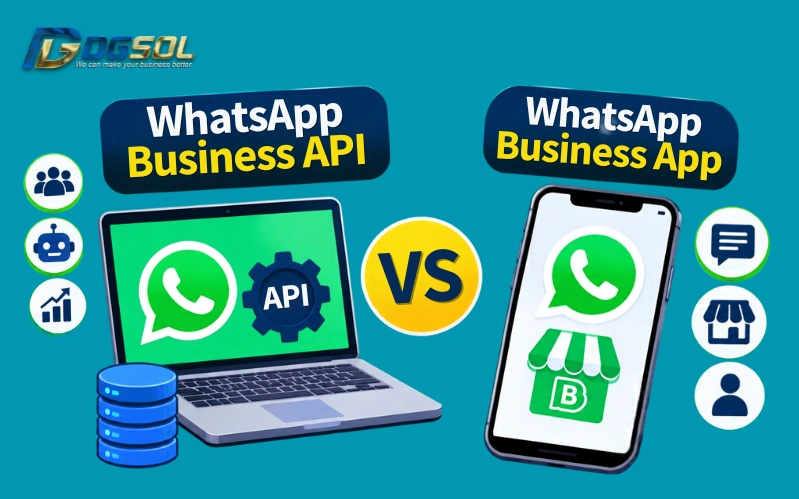
The main difference between the WhatsApp Business App vs WhatsApp Business API is their intended use. The app supports direct customer communication, while the API provides more advanced tools for managing business messaging.
| Feature | WhatsApp Business App | WhatsApp Business API |
| Main purpose | Direct customer communication | Scalable business messaging |
| Cost | Free to use, excluding data charges | Meta messaging and possible provider fees |
| Setup | Install and register the app | Requires onboarding and platform connection |
| Automation | Basic automated replies | Advanced workflows and chatbots |
| Team access | Linked devices with limited team features | Multiple agents through a connected platform |
| Broadcast messaging | Restricted broadcast lists | Scalable template messaging subject to policies |
| CRM integration | Limited native integration | Supports CRM integrations |
| Analytics | Basic tools | Reporting through connected platforms |
| Best suited for | Small businesses | Growing SMEs and larger businesses |
Advantages of WhatsApp Business App and WhatsApp Business API
The WhatsApp Business App and WhatsApp Business API have different strengths. The right choice depends on the business’s communication needs.
WhatsApp Business App
Advantages
- Free to download and use.
- Easy to set up and manage.
- Includes product catalogs and quick replies.
- Suitable for direct customer communication.
WhatsApp Business API
Advantages
- Supports advanced automation and chatbots.
- Allows multiple agents through connected platforms.
- Integrates with CRM and other business systems.
- Supports more organized messaging operations.
Which Option Is Better for Your Business?
The best choice depends on your business size, messaging volume, and need for automation.
WhatsApp Business App for Small Businesses
The app suits startups, small retailers, and service providers that manage a limited number of customer inquiries. For example, a small shop can use its product catalog to showcase items, quick replies to answer common questions, and chat labels to organize conversations. If one person or a small team manages customer communication, the app may provide everything needed.
WhatsApp Business API for Growing SMEs
Growing businesses may need the API when customer inquiries become difficult to manage manually. It is useful for companies that need multiple agents, automated responses, CRM integration, and organized customer communication. For example, an online store can automate order updates while allowing customer service employees to handle product and delivery inquiries.
When Should a Business Switch to WhatsApp Business API?
A business should consider switching when the Business App no longer meets its communication requirements.
Common signs include:
- Increasing customer inquiries: Your team struggles to respond to messages manually.
- More employees handling chats: Several agents need access to one business number.
- Need for advanced automation: You want chatbots and automated customer notifications.
- CRM requirements: Customer conversations need to connect with sales or support records.
- Larger messaging operations: Your business needs more organized communication with opted-in customers.
Before switching, compare provider fees, messaging costs, integration options, and the features your team actually needs.
Final Verdict
The WhatsApp Business App is a practical choice for small businesses that need simple, direct customer communication without additional platform costs. The WhatsApp Business API suits businesses that need multiple agents, advanced automation, CRM integration, and scalable messaging.
If your business handles a manageable number of conversations, the app may be enough. If manual communication is becoming difficult to manage, the API offers more flexibility. Choose between the WhatsApp Business App vs WhatsApp Business API option that matches your current requirements and support your business as it grows.
Frequently Asked Questions
What is the difference between WhatsApp Business App and API?
The WhatsApp Business App is a free application for managing customer conversations directly. The API connects WhatsApp with external platforms and supports advanced automation, team access, and CRM integration.
Which is better, WhatsApp Business App or API?
The app suits small businesses with basic communication needs. The API is better for businesses that require multiple agents, advanced automation, and software integrations.
Is WhatsApp Business API free?
No. Applicable Meta messaging charges and additional platform or provider fees may apply.
How much does WhatsApp Business API cost?
The cost depends on Meta’s messaging rates, message categories, recipient countries, and any additional provider fees.
Can I use WhatsApp Business App and API together?
Yes. Meta’s Coexistence feature allows eligible businesses to connect an existing WhatsApp Business App number to the Cloud API while continuing to use the app. Availability and functionality depend on account eligibility and the onboarding process.
Can multiple agents use one WhatsApp number?
Yes. Multiple agents can manage conversations from one number through an API-connected platform that supports shared inbox access.
Can WhatsApp Business API automate messages?
Yes. Businesses can use connected platforms to automate customer notifications, chatbots, order updates, and other messaging workflows.
Can WhatsApp Business API connect to CRM?
Yes. The API can integrate with compatible CRM systems to organize customer information, record conversations, and manage sales or support activities.