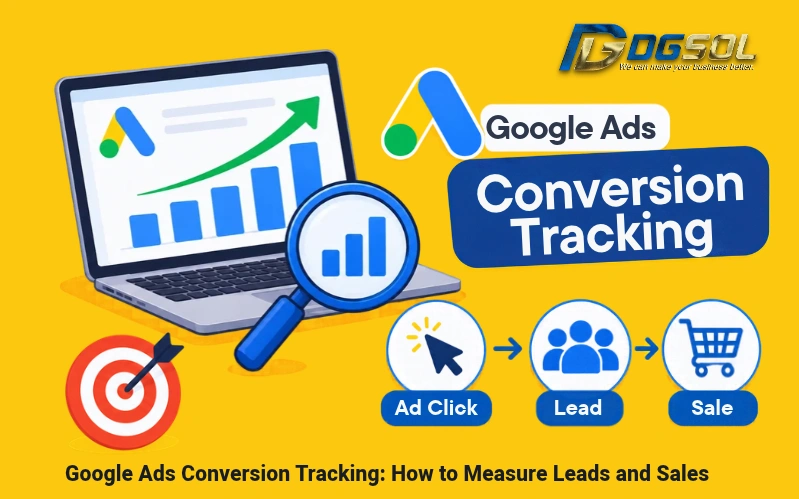
Getting clicks from Google Ads does not necessarily mean your campaigns are generating business. You also need to measure what visitors do after clicking your advertisements, such as submitting forms, contacting your team, or completing purchases. Google Ads conversion tracking helps businesses measure these actions and identify which campaigns generate valuable leads and sales. For businesses, this may include website inquiries, WhatsApp clicks, phone contacts, and online purchases. This guide explains how to set up conversion tracking and measure your advertising results.
What Is Google Ads Conversion Tracking?
Google Ads conversion tracking measures valuable actions people take after interacting with your advertisements.
These actions, known as conversion actions, can include:
- Contact form submissions.
- WhatsApp button clicks.
- Phone inquiries.
- Online purchases.
- Qualified sales leads.
- Completed bookings or registrations.
For example, when someone clicks your Google Ad and submits a quotation request, conversion tracking can record that action.
How to Set Up Google Ads Conversion Tracking
Follow these steps to configure Google Ads conversion tracking for your website.
Step 1: Define Your Conversion Goals
Identify the actions that matter to your business. A service-based company may track contact forms, WhatsApp inquiries, and qualified leads. An ecommerce store may focus on completed purchases and transaction values.
Step 2: Create Conversion Actions in Google Ads
Open the conversion summary under the Goals section of Google Ads and create a conversion action. Configure the main settings:
- Name and category: Identify the action, such as Contact Form Submission or Purchase.
- Conversion value: Assign a monetary value where appropriate.
- Counting method: Choose One for most lead actions or Every for purchases, depending on your measurement needs.
- Action optimization: Set important business outcomes as primary conversions and supporting actions as secondary conversions where appropriate.
Primary actions can support campaign bidding, while secondary actions are generally used for observation.
Step 3: Install the Google Tag or Google Tag Manager
Configure the required Google Ads conversion tag and Conversion Linker where applicable. You can implement Google Ads conversion tracking using:
- Google tag: Install the tag on your website and configure the required conversion events.
- Google Tag Manager (GTM): Manage conversion tags and triggers through a central interface without manually adding separate code for each event.
Step 4: Set Up and Test Conversion Triggers
Use Google Tag Assistant and GTM Preview Mode to test whether tags fire correctly. Configure each trigger to record the intended customer action.
| Action | Conversion trigger |
| Contact form | Successful form submission |
| WhatsApp link click | |
| Phone contact | Telephone link click or supported call tracking |
| Purchase | Completed transaction |
| Booking | Confirmed booking event |
A form conversion, for example, should record a successful submission rather than simply clicking the submit button. See Google’s website conversion setup guide for implementation instructions.
Google Ads Conversion Tracking for Leads
Businesses that generate inquiries through their websites should track the actions that bring potential customers into their sales process.
How to Track Form Submissions in Google Ads
Track successful contact forms, quotation requests, and consultation bookings using a confirmation page or a properly configured form submission event. Make sure the conversion fires only after successful submission. Otherwise, incomplete forms may incorrectly appear as leads.
How to Track WhatsApp Clicks in Google Ads
You can track website WhatsApp button clicks using Google Tag Manager. The basic setup involves:
- Identifying the WhatsApp link on your website.
- Creating a click trigger for that link.
- Connecting the trigger to a Google Ads conversion action.
- Testing the event using GTM Preview Mode.
Google Ads Phone Call Tracking in Malaysia
Businesses can track clicks on telephone links and use compatible call tracking solutions to measure customer calls. However, Google’s current Google forwarding number availability list does not include Malaysia. Standard forwarding-number-based call conversion tracking should therefore not be assumed to be available for Malaysian advertisers.
See Google’s call tracking availability information.
Google Ads Sales Tracking and Offline Conversions
Tracking initial inquiries is useful, but businesses should also measure which leads eventually become paying customers.
How to Track Purchases in Google Ads
Ecommerce stores can create purchase conversion actions to record completed orders.
Important information includes:
- Transaction value.
- Currency.
- Unique transaction ID.
- Completed purchase event.
For online store, use MYR when transactions are processed in Malaysian ringgit. Unique transaction IDs help prevent duplicate purchase reporting.
How to Track Offline Conversions in Google Ads
Some businesses complete sales through phone calls, meetings, or sales representatives rather than online checkout. Offline conversion tracking connects these outcomes to the original advertising interaction.
For example:
Google Ad click → Website inquiry → Qualified lead → Sales follow-up → Completed purchase
Businesses can use CRM records and supported offline conversion imports to report qualified leads and completed sales.
Google Ads Conversion Tracking vs GA4
Google Ads and Google Analytics 4 measure website activity but serve different purposes.
| Google Ads | GA4 |
| Measures conversions for advertising campaigns | Measures website activity and user journeys |
| Supports campaign bidding and conversion reporting | Analyzes events and key events |
| Tracks advertising-related leads and purchases | Provides broader website performance data |
| Purchase | Completed transaction |
| Booking | Confirmed booking event |
How to Measure Google Ads Conversion Performance
Monitor these metrics to understand whether your campaigns are generating valuable business results.
| Metric | What it measures |
| Conversions | Recorded customer actions |
| Conversion rate | Percentage of eligible ad interactions resulting in conversions |
| Cost per conversion | Advertising spend per recorded conversion |
| Qualified lead rate | Percentage of inquiries meeting business requirements |
| Conversion value | Monetary value assigned to conversions |
| ROAS | Conversion value compared with advertising spend |
Why Is Google Ads Conversion Tracking Not Working?
Incorrect tracking can produce missing or duplicated conversions.
| Problem | What to check |
| Conversion tag not firing | Google tag installation and GTM triggers |
| Form submissions not recorded | Successful submission event |
| Duplicate conversions | Overlapping Google Ads and GA4 tracking |
| Incorrect purchase values | Dynamic values, currency, and transaction IDs |
| WhatsApp clicks missing | Link URL and GTM click trigger |
| GA4 events not importing | Account linking and key event settings |
Measure Leads and Sales With Google Ads Conversion Tracking
Google Ads conversion tracking helps businesses understand whether their advertising generates meaningful enquiries and actual sales. Start by tracking successful form submissions, contact actions, and purchases. Connect GA4 and CRM data where appropriate to measure qualified leads and business outcomes.
Want to know which Google Ads campaigns generate real business results? Contact DGSOL for conversion tracking and measurement support.
Frequently Asked Questions
How Do I Track Leads in Google Ads?
Create conversion actions for successful form submissions and relevant contact actions. Connect your CRM where possible to measure qualified leads separately.
How Do I Track Sales From Google Ads?
Use purchase conversion tracking for online orders and supported offline conversion imports for sales completed through your sales team.
Does WhatsApp Click Tracking Count as a Lead?
No. It records a click on your WhatsApp link, not necessarily a sent message or a qualified enquiry.
What Is Enhanced Conversions for Google Ads?
Enhanced conversions use eligible hashed first-party customer information to improve conversion measurement and help connect online and offline customer actions.
Why Are My Google Ads Conversions Not Recording?
Common causes include incorrect tags, faulty triggers, missing events, duplicate tracking, and consent settings that affect data collection.